


Ultraloq U-Bolt with Wi-Fi
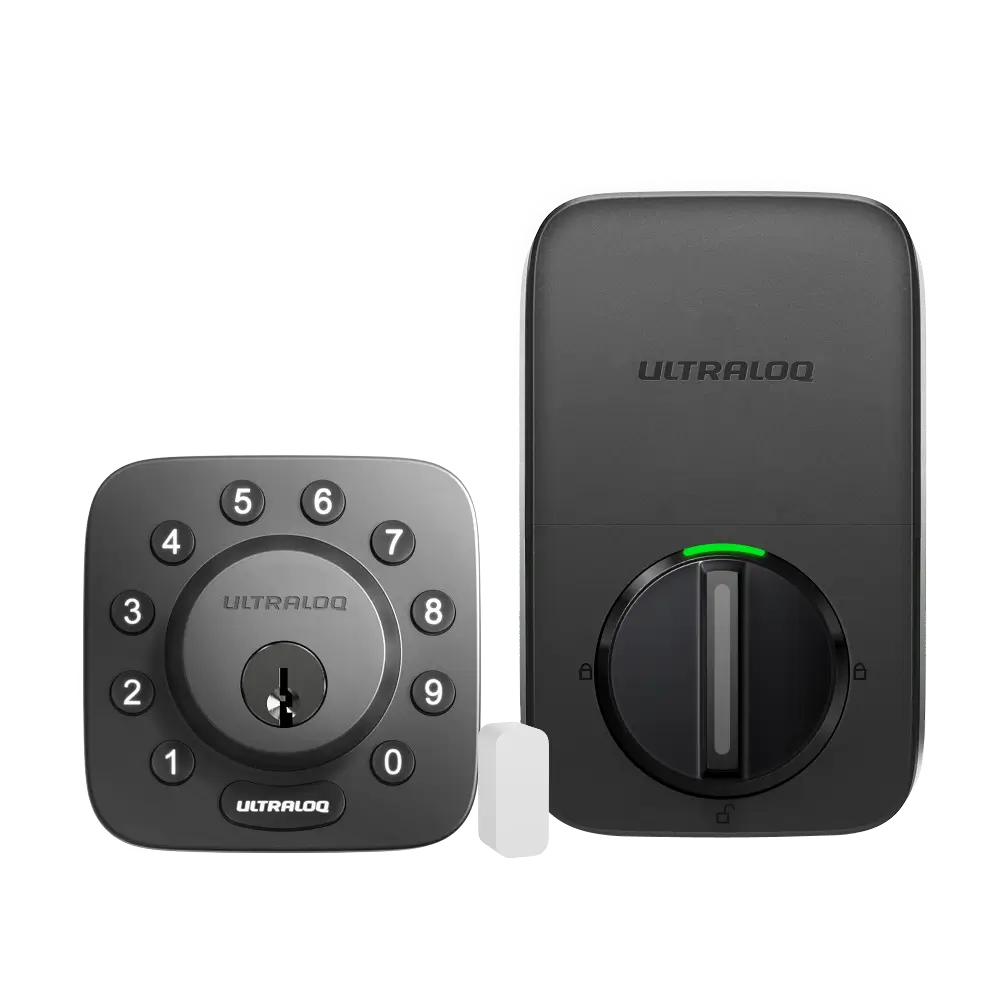
- Wi-Fi: Built-in Wi-Fi
- Battery life: 3–6 months
- Power: 6V, using four alkaline AA batteries
August Wi-Fi Smart Lock
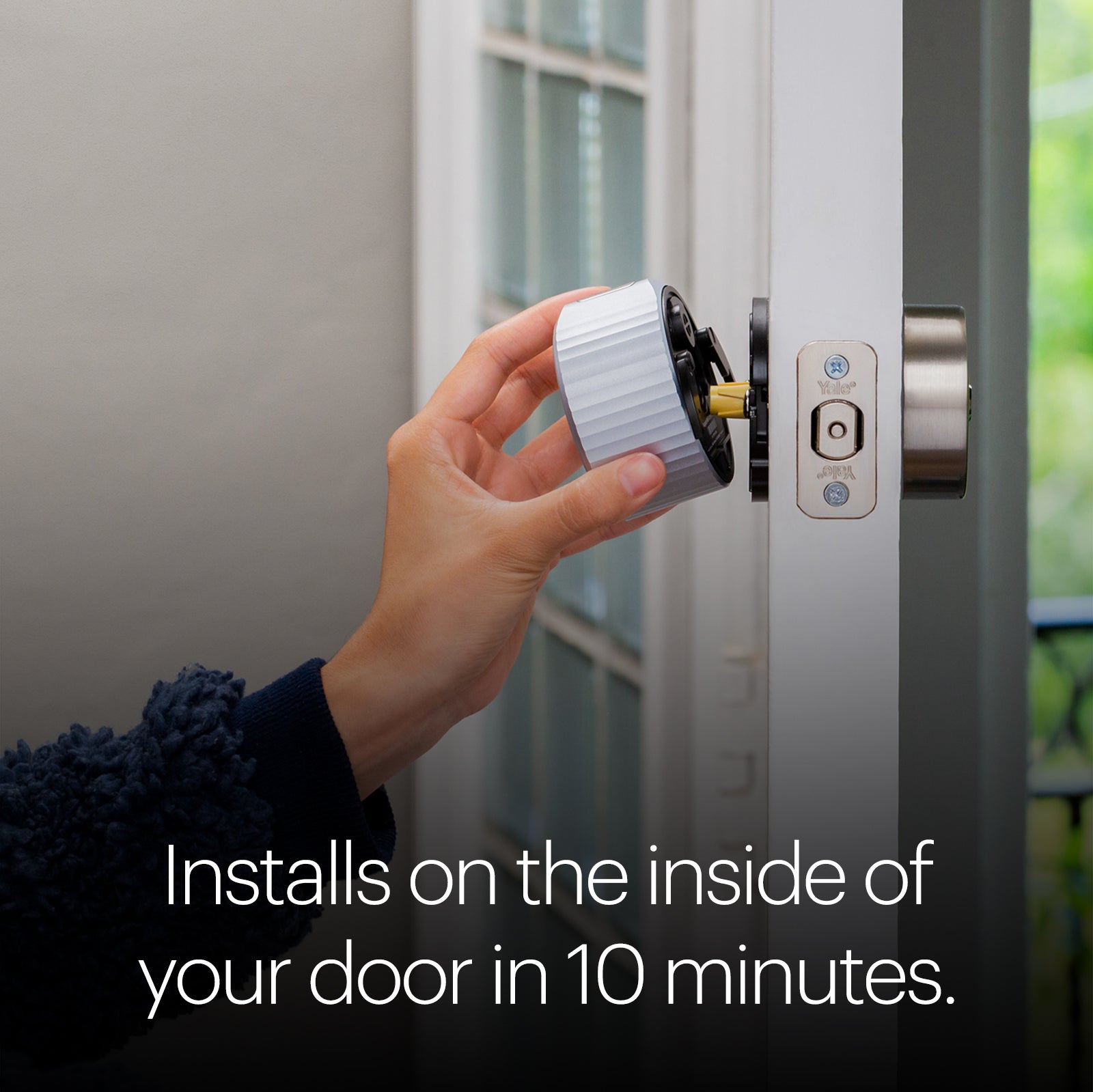
- Wi-Fi requirement: 802.11 b/g/n, 2.4 GHz or 5 GHz
- Bridge requirement: No additional bridge is required
- Battery life: Up to 3 months
Schlage Encode Smart Wi-Fi Lever
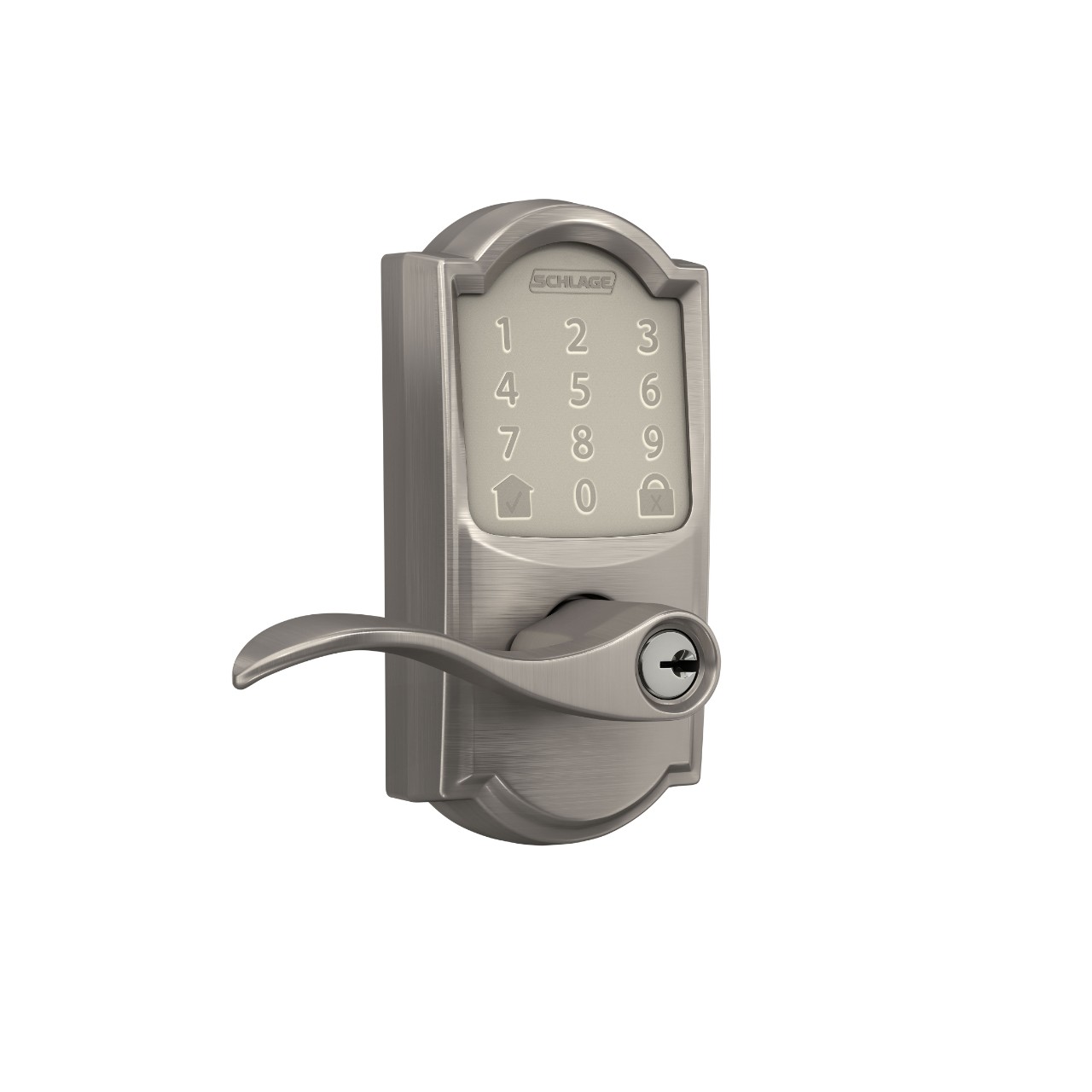
- App compatibility: Works with the Schlage Home App
- Voice control: Pairs with Alexa or Google Assistant.
- Electronic warranty: Limited 3-year warranty
The Ultraloq U-Bolt with Wi-Fi is my best overall pick for a home entry door: it combines built-in Wi-Fi with Door Status and Smart Auto Lock features. The August Wi-Fi Smart Lock suits homes that want to keep an existing compatible deadbolt and keys, while the Schlage Encode Smart Wi-Fi Lever is designed for doors that use a knob or lever.
For the wider category, see best security cameras.
Another focused comparison is our best wireless home security system.
How do our recommended picks compare?
| Product | Best for | Connection or app | Door or access feature | Power or battery detail |
|---|---|---|---|---|
| Ultraloq U-Bolt with Wi-Fi | A Wi-Fi deadbolt with status and auto-lock features | Built-in Wi-Fi | Supports Door Status and Smart Auto Lock | Four alkaline AA batteries; 3–6 months |
| August Wi-Fi Smart Lock | Adding smart access to a compatible existing deadbolt | Wi-Fi: 802.11 b/g/n, 2.4 GHz or 5 GHz | No additional bridge is required | Up to 3 months of battery life |
| Schlage Encode Smart Wi-Fi Lever | Residential doors that use a knob or lever | Works with the Schlage Home App | Pairs with Alexa or Google Assistant. | Battery powered |
Which door locks for home options should you compare?
1. Ultraloq U-Bolt with Wi-Fi Best Overall
The Ultraloq U-Bolt with Wi-Fi is my best overall choice for shoppers who want a smart deadbolt with Wi-Fi built into the lock. Its documented Door Status and Smart Auto Lock functions make it a fit for people who want to check the door’s status and have the lock secure the door automatically. The built-in Wi-Fi version does not need an additional Wi-Fi adaptor, which keeps the connection setup straightforward. The tradeoff to weigh is battery upkeep: the listed battery-life range for this Wi-Fi model is 3–6 months, and it uses four alkaline AA batteries. Check your door dimensions and fit before choosing; the manufacturer’s specifications include particular door-preparation requirements.
Best for A home entry door where a Wi-Fi deadbolt and documented Door Status and Smart Auto Lock features are priorities.
| Wi-Fi | Built-in Wi-Fi |
|---|---|
| Battery life | 3–6 months |
| Power | 6V, using four alkaline AA batteries |
Pros
- Built-in Wi-Fi; no additional Wi-Fi adaptor is needed for this version.
- Supports Door Status and Smart Auto Lock.
- Uses a mechanical key override.
Cons
- The stated battery life for the Wi-Fi model is 3–6 months.
- Its fit depends on door-preparation and thickness requirements.
Buy if You want a deadbolt with built-in Wi-Fi and do not want to add a separate Wi-Fi adaptor.
Skip if You prefer a lock that attaches over your existing deadbolt and keeps its original keys.
Sources: Product source
2. August Wi-Fi Smart Lock Alternative Pick
The August Wi-Fi Smart Lock is a strong match if you want smart access while keeping a compatible existing single-cylinder deadbolt and its keys. It attaches on the inside of the door, and its built-in Wi-Fi means no additional bridge is required for connection. Documented features include remote access, Auto-Lock, Auto-Unlock, and DoorSense, which reports whether the door is securely closed and locked. It is an add-on to an existing deadbolt rather than a replacement for the outside lock hardware, so compatibility is an essential check. Its stated battery life is up to three months, a practical consideration if you prefer less frequent battery changes. Choose it for the retrofit approach, not for a keypad included in the base lock description.
Best for A compatible single-cylinder deadbolt that you want to upgrade from inside while continuing to use its existing keys.
| Wi-Fi requirement | 802.11 b/g/n, 2.4 GHz or 5 GHz |
|---|---|
| Bridge requirement | No additional bridge is required |
| Battery life | Up to 3 months |
Pros
- Attaches over a compatible existing single-cylinder deadbolt.
- Keeps the existing keys usable.
- Includes built-in Wi-Fi and documented Auto-Lock functionality.
Cons
- Requires a compatible existing single-cylinder deadbolt.
- The stated battery life is up to three months.
Buy if You want built-in Wi-Fi, remote access, and a smart lock that installs over your existing deadbolt.
Skip if You need a replacement deadbolt or want a different door format, such as a smart lever.
Sources: Product source
3. Schlage Encode Smart Wi-Fi Lever Another Option
The Schlage Encode Smart Wi-Fi Lever is the one to consider when the door itself calls for a lever rather than a deadbolt. Schlage describes it for residential doors that use a knob or lever and highlights garage, side, and interior doors such as offices or guest suites. Built-in Wi-Fi and the Schlage Home App support remote lock control and access management with unique codes. It also pairs with Alexa or Google Assistant for voice control. The key tradeoff is its form: it is a smart lever, so it is not a like-for-like deadbolt replacement. The listed warranty terms distinguish electronic coverage from mechanical and finish coverage. Match the lock to the door’s existing hardware role before selecting it.
Best for Residential doors using a knob or lever, including a side door, garage door, office, or guest suite.
| App compatibility | Works with the Schlage Home App |
|---|---|
| Voice control | Pairs with Alexa or Google Assistant. |
| Electronic warranty | Limited 3-year warranty |
Pros
- Built-in Wi-Fi and access management through the Schlage Home App.
- Supports unique access codes.
- Pairs with Alexa or Google Assistant.
Cons
- Its lever format is for doors that use a knob or lever, rather than a deadbolt replacement.
- The stated electronic warranty is limited to three years.
Buy if You want a built-in Wi-Fi smart lever with app-based access codes and voice-control compatibility.
Skip if You need a deadbolt-format lock or want to keep an existing deadbolt as the primary lock.
Sources: Product source
How did we choose these recommendations?
- Compared published specifications and documented product features, including connectivity, power, and stated access functions.
- Matched each lock to a distinct home-door use so recommendations reflect the product’s documented form and intended role.
- Considered the practical implications of replacing a deadbolt versus adding a lock over an existing compatible deadbolt.
- Focused on product details that clarify each lock’s form, connectivity, power, and access approach.
We researched and compared published product specifications, documented features, and the sources linked beside each pick.
What should you look for when choosing door locks for home?
Identify the door hardware first
Look at whether the door uses a deadbolt, a knob, or a lever. The Schlage Encode Smart Wi-Fi Lever is for residential doors that use a knob or lever. Ultraloq’s U-Bolt is a deadbolt, while August attaches over a compatible existing single-cylinder deadbolt. This first check helps prevent choosing a smart lock that does not match the door’s format.
Check compatibility before ordering
Compare the product’s installation requirements with the actual door and existing lock. August specifically requires a compatible single-cylinder deadbolt. Ultraloq lists door-preparation requirements and notes that door thickness matters. Do not assume that a lock described for a home or entry door fits every door. When uncertain, consult the manufacturer’s compatibility information before making a selection.
Choose the access approach you prefer
Decide whether you want to keep an existing key arrangement, use a deadbolt with its own smart features, or fit a lever to a door that uses lever hardware. August retains the existing keys when installed over a compatible deadbolt. Ultraloq lists a mechanical key override. Schlage documents app management and unique access codes. Pick around the household’s real access needs.
Review Wi-Fi and app requirements
Built-in Wi-Fi appears on all three product descriptions, but their other requirements and app details differ. August lists supported Wi-Fi bands and says no additional bridge is required. Ultraloq says its built-in Wi-Fi model needs no extra adaptor. Schlage works with the Schlage Home App. Check network, smartphone, and smart-home compatibility details relevant to your setup.
Plan for power and ongoing use
Compare the battery details given for the specific lock you are considering. Ultraloq lists four alkaline AA batteries and a 3–6-month battery-life range for the Wi-Fi version; August states up to three months. Schlage identifies its lever as battery powered. Review each product’s instructions for battery replacement and consider which access features you will use regularly.
Which smart door lock is the best fit for a home?
Start with the lock format and the job you want it to do. The Ultraloq U-Bolt with Wi-Fi is a deadbolt choice with built-in Wi-Fi, Door Status, and Smart Auto Lock. That makes it the most versatile fit in this selection for shoppers who want a replacement-style smart deadbolt with those documented functions.
The August Wi-Fi Smart Lock takes another route: it mounts on the inside of a compatible existing single-cylinder deadbolt, so the original keys remain usable. That retrofit approach can make more sense if you do not want to change the outside lock hardware. The Schlage Encode Smart Wi-Fi Lever is for a different need entirely. It is designed for residential doors that use a knob or lever, including side, garage, office, or guest-suite doors. Decide which door you are securing first, then confirm the lock type and compatibility. Smart features are useful only when they suit the door and the household’s preferred access method.
Should you replace a deadbolt or add a lock over it?
A replacement-style deadbolt and an inside-mounted add-on are not interchangeable choices. The Ultraloq U-Bolt with Wi-Fi is a keypad smart deadbolt with a mechanical key override. Its documented specifications give door-preparation details, including a 2-1/8-inch face hole and a 1-inch latch hole; check your door against the manufacturer’s full requirements before ordering.
August’s lock attaches over the inside of a compatible single-cylinder deadbolt. Because the existing outside hardware and keys stay in use, it can suit households that want app-based features without changing their key arrangement. That benefit depends on having a compatible deadbolt, so check fit rather than assuming every lock will work. The Schlage option is a lever, not a deadbolt retrofit. For any of these, think through who needs access and whether the door’s present hardware matches the product. This distinction narrows the choice faster than comparing smart features alone.
FAQ
Which lock is the best overall pick for home?
The Ultraloq U-Bolt with Wi-Fi is the best overall pick in this guide for shoppers seeking a smart deadbolt with built-in Wi-Fi. It also supports Door Status and Smart Auto Lock. Check the door-preparation requirements and consider the stated 3–6-month battery-life range before choosing it.
Can the August Wi-Fi Smart Lock keep my existing keys?
Yes, provided your existing lock is a compatible single-cylinder deadbolt. The August lock installs on the inside over that deadbolt, leaving the existing keys usable. Its built-in Wi-Fi connects without an additional bridge. Check deadbolt compatibility before selecting this retrofit approach.
Does the Ultraloq U-Bolt with Wi-Fi need an adaptor?
The built-in Wi-Fi version does not need an additional Wi-Fi adaptor. The product information says to connect that version to home Wi-Fi. Confirm that you are considering the built-in Wi-Fi model, because the U-Bolt series includes different connection versions.
Is the Schlage Encode Smart Wi-Fi Lever a deadbolt?
No. It is a smart lever for residential doors that use a knob or lever. Schlage describes it for settings including garage and side doors, offices, and guest suites. If you need a deadbolt, compare the Ultraloq or August option and check the door’s compatibility.
Which products list automatic locking features?
Ultraloq’s U-Bolt Wi-Fi supports Smart Auto Lock. August documents Auto-Lock, which can secure the door after it closes or after a set time.
What battery life should I expect from these locks?
The U-Bolt Wi-Fi listing gives 3–6 months, and August states up to three months. Schlage identifies its lever as battery powered. Use each model’s product guidance when planning battery upkeep.
Which door locks for home should you buy?
For most homes, start with the Ultraloq U-Bolt with Wi-Fi. For another option, compare the August Wi-Fi Smart Lock. Need the use-case pick? Consider the August Wi-Fi Smart Lock.
- Best Overall: Ultraloq U-Bolt with Wi-Fi
- Alternative Pick: August Wi-Fi Smart Lock
- Another Option: Schlage Encode Smart Wi-Fi Lever
When was this guide last updated?
- November 07, 2026: Editorial research prepared. Product specifications and source images reviewed.