


Epson EcoTank ET-4850
- Printer type: All-in-One cartridge-free supertank printer
- Functions: Print, copy, scan, and fax
- Page yield: Up to 7,500 black pages and 6,000 color pages
Canon PIXMA G3270
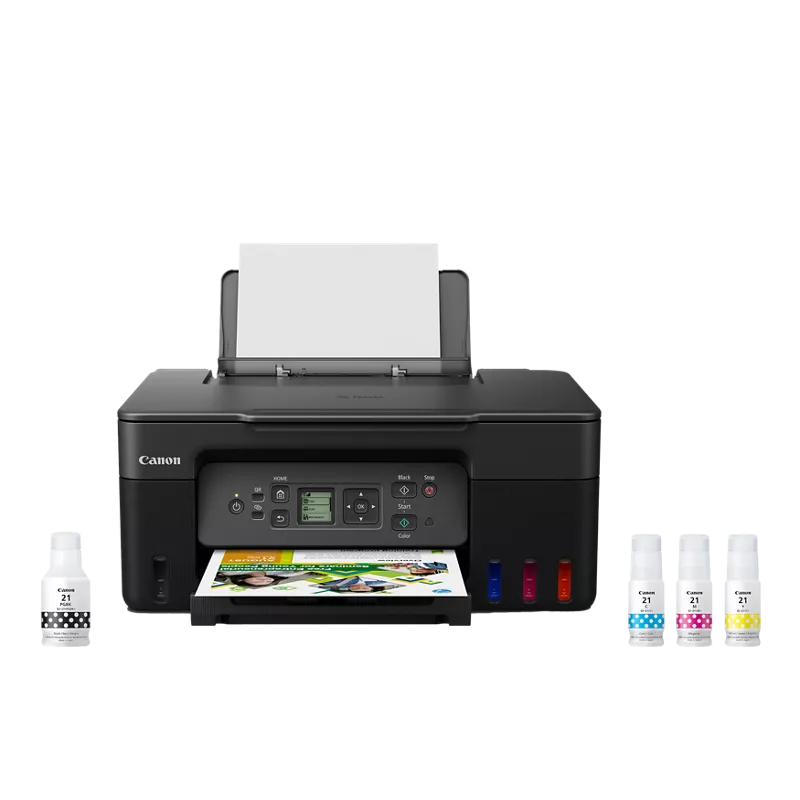
- Functions: Print, scan, copy
- Connectivity: Wi-Fi, USB
- Duplex printing: No automatic duplex
Epson EcoTank ET-2980
- Product category: All-in-One printer
- App compatibility: Epson Smart Panel app; iOS and Android devices
- App-supported operations: Printer and scanner operations
The Epson EcoTank ET-4850 is our best overall tank printer for home use because it combines print, copy, scan, and fax functions with documented black and color page yields. Derek Lang compares it with three alternatives for photo printing, app-supported tasks, and straightforward home document use.
For the wider category, see choosing home office equipment.
For a related need, compare our best home printer for photos.
Another focused comparison is our best webcam for working from home.
How do our recommended picks compare?
| Product | Best for | Documented functions | Distinct documented feature | Additional documented fact |
|---|---|---|---|---|
| Epson EcoTank Photo ET-8500 | Home photo printing | Print, copy, and scan | 4 × 6 photo print speed as fast as 15 seconds | All-in-One Supertank Printer |
| Epson EcoTank ET-2980 | App-supported home tasks | All-in-One printer category | Smart Panel printer and scanner operations | iOS and Android app compatibility |
| Canon PIXMA G3270 | Home printing, scanning, and copying | Print, scan, copy | No automatic duplex | Wi-Fi, USB |
| Epson EcoTank ET-4850 | Home all-in-one with fax | Print, copy, scan, and fax | Up to 7,500 black pages and 6,000 color pages | All-in-One cartridge-free supertank printer |
Which tank printer for home use options should you compare?
1. Epson EcoTank Photo ET-8500
The Epson EcoTank Photo ET-8500 is the clearest fit here for a home where photo printing is a regular priority. Epson identifies it as an all-in-one supertank printer with print, copy, and scan functions, and documents a 4 × 6 photo print speed as fast as 15 seconds. That makes the photo capability a concrete reason to consider it, rather than relying on a vague promise of better pictures. It also handles ordinary copy and scan tasks, so it can serve more than one role in a home. The tradeoff is focus: if fax is part of your routine, the ET-4850 is the more directly documented match. Choose this model when photo output leads your checklist.
Best for Home users who want a tank printer with a documented 4 × 6 photo print speed and print, copy, and scan functions.
| Printer type | All-in-One Supertank Printer |
|---|---|
| Functions | Print, copy, and scan |
| 4 × 6 photo print speed | As fast as 15 seconds |
Pros
- Documented print, copy, and scan functions.
- Photo-focused model with a stated 4 × 6 photo print speed.
- A useful fit for a household that prints both photos and documents.
Cons
- The documented functions do not include fax.
- Its photo-oriented feature is less relevant if you mainly need a general home-office workflow.
Buy if You print photos at home and want print, copy, and scan functions in the same all-in-one; search Amazon for this exact model.
Skip if You need a documented fax function as part of your home-office workflow; compare the Epson EcoTank ET-4850 instead.
Sources: Product source
2. Epson EcoTank ET-2980 Another Option
The Epson EcoTank ET-2980 is the app-oriented alternative in this group. Epson identifies it as an all-in-one printer and confirms compatibility with the Epson Smart Panel app on iOS and Android devices. The app supports printer and scanner operations, which is a relevant distinction if you expect to manage those tasks from a mobile device. Its appeal is less about one standout photo or office feature and more about that documented app connection. Consider whether app-supported printer and scanner tasks match how people in your household work before choosing it. If fax, a specific photo-print feature, or a stated page yield is central to your decision, the other picks have more directly documented features for those needs.
Best for Home users who value Epson Smart Panel compatibility for printer and scanner operations from iOS or Android devices.
| Product category | All-in-One printer |
|---|---|
| App compatibility | Epson Smart Panel app; iOS and Android devices |
| App-supported operations | Printer and scanner operations |
Pros
- Compatible with Epson Smart Panel.
- The app supports printer and scanner operations from iOS and Android devices.
- A home-oriented all-in-one category option.
Cons
- The documented app operations are specific to printer and scanner tasks.
- A less direct fit if fax or a stated photo-print speed is central to your choice.
Buy if You want Epson Smart Panel compatibility and expect to use its printer or scanner operations from a mobile device; search Amazon for this exact model.
Skip if You need fax or a specifically documented photo-print speed; compare the Epson EcoTank ET-4850 or Epson EcoTank Photo ET-8500.
Sources: Product source
3. Canon PIXMA G3270 Alternative Pick
The Canon PIXMA G3270 is a sensible alternative for households looking for a documented print, scan, and copy combination with Wi-Fi and USB connectivity. Its listed features also make the tradeoff around two-sided documents clear: it has no automatic duplex printing, so shoppers who require that feature should look elsewhere. Canon’s documented page-yield figures are up to 6,000 black pages and 7,700 color pages per set, but actual needs depend on what you print. This model suits people who want the listed core functions and connectivity without making automatic two-sided output a requirement. It is not the photo-specialist pick in this guide; for a specific photo-speed feature, consider the ET-8500 instead.
Best for Home users who want documented print, scan, and copy functions, Wi-Fi and USB connectivity, and a stated page yield.
| Functions | Print, scan, copy |
|---|---|
| Connectivity | Wi-Fi, USB |
| Duplex printing | No automatic duplex |
Pros
- Documented print, scan, and copy functions.
- Wi-Fi and USB connectivity are listed.
- Page-yield figures are stated for black and color printing.
Cons
- No automatic duplex printing.
- Two-sided output is not an automatic feature, which matters for frequent duplex jobs.
Buy if You want a tank printer with print, scan, and copy functions and do not require automatic duplex printing; search Amazon for this exact model.
Skip if You need automatic two-sided printing; the documented feature list says this model has no automatic duplex.
Sources: Product source
4. Epson EcoTank ET-4850 Best Overall
The Epson EcoTank ET-4850 is our best overall pick for home use because its documented functions cover print, copy, scan, and fax. That combination suits households that want one all-in-one to address both everyday documents and a fax workflow. Epson also states page yields of up to 7,500 black pages and 6,000 color pages, which gives shoppers a published reference point when considering how they print. The figures are stated maximum yields, not a promise of the same results for every household. Its strongest reason to choose is breadth of documented home-office functions, rather than a dedicated photo-print feature. If your primary priority is photo printing, the ET-8500 is the more focused alternative.
Best for Home users who want print, copy, scan, and fax functions together with stated black and color page yields.
| Printer type | All-in-One cartridge-free supertank printer |
|---|---|
| Functions | Print, copy, scan, and fax |
| Page yield | Up to 7,500 black pages and 6,000 color pages |
Pros
- Documented print, copy, scan, and fax functions.
- Published page-yield figures for black and color printing.
- A strong match for a home that combines household printing with fax tasks.
Cons
- Its stated multifunction range may be more than a household needs.
- The documented features here do not include the ET-8500’s stated 4 × 6 photo speed.
Buy if You want a home all-in-one with fax as well as print, copy, and scan functions; search Amazon for this exact model.
Skip if You want a documented 4 × 6 photo print speed; compare the Epson EcoTank Photo ET-8500.
Sources: Product source
How did we choose these recommendations?
- Compared published specifications and documented features relevant to home printing, including multifunction capabilities and supported operations.
- Looked for documented distinctions that can help shoppers choose by task, such as photo printing, faxing, app compatibility, and automatic duplex status.
- Considered whether the stated features suit common home needs, including photo output, scanning, copying, and document workflows.
- Kept recommendations tied to the listed models and their documented facts; practical fit is editorial reasoning, not a claim of measured superiority.
We researched and compared published product specifications, documented features, and the sources linked beside each pick.
What should you look for when choosing tank printer for home use?
Start with the work your home printer must do
Write down the tasks you expect to use: printing, scanning, copying, faxing, or photo output. The ET-4850 lists all four core office functions, while the ET-8500 lists print, copy, and scan. The Canon also lists those three functions. The ET-2980 is an all-in-one with Smart Panel support for printer and scanner operations. Start from tasks, not from the assumption that every all-in-one is configured alike.
Treat distinctive features as decision filters
Choose a must-have feature to separate close options. A documented 4 × 6 photo speed points to the ET-8500. Fax points to the ET-4850. Epson Smart Panel operations from iOS and Android point to the ET-2980. The Canon’s Wi-Fi and USB connectivity may fit your setup, but its listed no-automatic-duplex status rules it out if automated two-sided printing is essential.
Read page-yield figures as stated estimates
The Canon PIXMA G3270 lists up to 6,000 black and 7,700 color pages per set; the ET-4850 lists up to 7,500 black and 6,000 color pages. These are published maximum yield figures, not a forecast for your own household. Consider them alongside the type of work you print and which functions you need, rather than using them alone to determine what will suit you.
Make mobile use a deliberate requirement
If you expect to initiate printer or scanner operations from a mobile device, the ET-2980 has specifically documented Epson Smart Panel compatibility for iOS and Android. That is a more concrete selection point than a general preference for convenience. If mobile app use is not important, compare the models by their other listed capabilities, such as photo printing, fax, or connectivity.
Verify any must-have feature before ordering
For features that are decisive, check the exact model listing before you buy. This is especially important if automatic duplex printing is required: the Canon PIXMA G3270 is specifically listed without it, so check the specifications for any alternative you consider. Search Amazon for the exact printer name and verify the feature that matters to your workflow.
For a home that wants a broad set of documented all-in-one functions, start with the Epson EcoTank ET-4850. It prints, copies, scans, and faxes, and Epson publishes black and color page-yield figures. That makes it a straightforward recommendation for households where a printer may also need to handle scanning, copying, or fax tasks.
A different household may have a more specific priority. The Epson EcoTank Photo ET-8500 is the distinct choice for photo printing, with a stated speed for a 4 × 6 photo. The Canon PIXMA G3270 covers print, scan, and copy, and lists Wi-Fi and USB connectivity, but has no automatic duplex printing. The Epson EcoTank ET-2980 stands out for Smart Panel app compatibility and supported printer and scanner operations. Select by the tasks you actually expect to use, not by assuming every tank model offers the same feature set.
Begin with the jobs the printer needs to handle. If fax belongs in your routine, the ET-4850 is the only model in this group with fax among its documented functions. If copying and scanning are enough, the ET-8500 and Canon PIXMA G3270 list those functions too. The ET-2980 is confirmed as an all-in-one and its Smart Panel app supports printer and scanner operations.
Next, check for the feature that would change your decision. Photo output points toward the ET-8500, while a mobile app workflow may point toward the ET-2980. If you regularly need automatic two-sided printing, do not overlook the Canon’s explicit no-automatic-duplex limitation. A product’s stated page yield can also be useful context, but it does not predict your personal print volume or exact refill timing. Match the published details to your own requirements rather than treating a single specification as a universal measure of value.
FAQ
What is the best tank printer for home use?
The Epson EcoTank ET-4850 is our best overall choice for a home that wants print, copy, scan, and fax in one device. Its documented functions give it a broad home-office role. If photo printing is your main priority, the Epson EcoTank Photo ET-8500 is the more focused alternative.
Which model is the photo-focused pick?
The Epson EcoTank Photo ET-8500 is the photo-focused pick. Its documented features include print, copy, and scan functions and a 4 × 6 photo print speed as fast as 15 seconds. Use that stated photo feature as a comparison point if you expect to print photos at home.
Which printer in this guide has fax?
The Epson EcoTank ET-4850 is documented with print, copy, scan, and fax functions. Fax is a clear reason to select it over the other models in this guide when that task is part of your home or home-office routine.
Can I use the Epson EcoTank ET-2980 from a mobile device?
The ET-2980 is compatible with the Epson Smart Panel app on iOS and Android devices. The documented app-supported operations include printer and scanner tasks. Consider it if that app workflow matters to your household.
Does the Canon PIXMA G3270 have automatic duplex printing?
No. The Canon PIXMA G3270 is listed as having no automatic duplex printing. If automatic two-sided output is essential, do not choose it for that requirement; verify duplex support for any alternative you consider.
How should I use the page-yield figures when choosing?
Treat them as published maximum figures rather than a promise of your household’s results. The Canon PIXMA G3270 lists up to 6,000 black and 7,700 color pages per set; the ET-4850 lists up to 7,500 black and 6,000 color pages. Your use may differ.
Which tank printer for home use should you buy?
For most homes, start with the Epson EcoTank ET-4850. For another option, compare the Canon PIXMA G3270. Need the use-case pick? Consider the Epson EcoTank ET-2980.
- Best Overall: Epson EcoTank ET-4850
- Alternative Pick: Canon PIXMA G3270
- Another Option: Epson EcoTank ET-2980
When was this guide last updated?
- November 07, 2026: Editorial research prepared. Product specifications and source images reviewed.