


Branch Ergonomic Chair Pro

- Adjustment points: 14 points of adjustment
- Lumbar support: Height- and depth-adjustable; removable
- Armrests: 5D adjustable armrests, with adjustable arm width and height, and pad width, depth, and pivot
Colamy Atlas
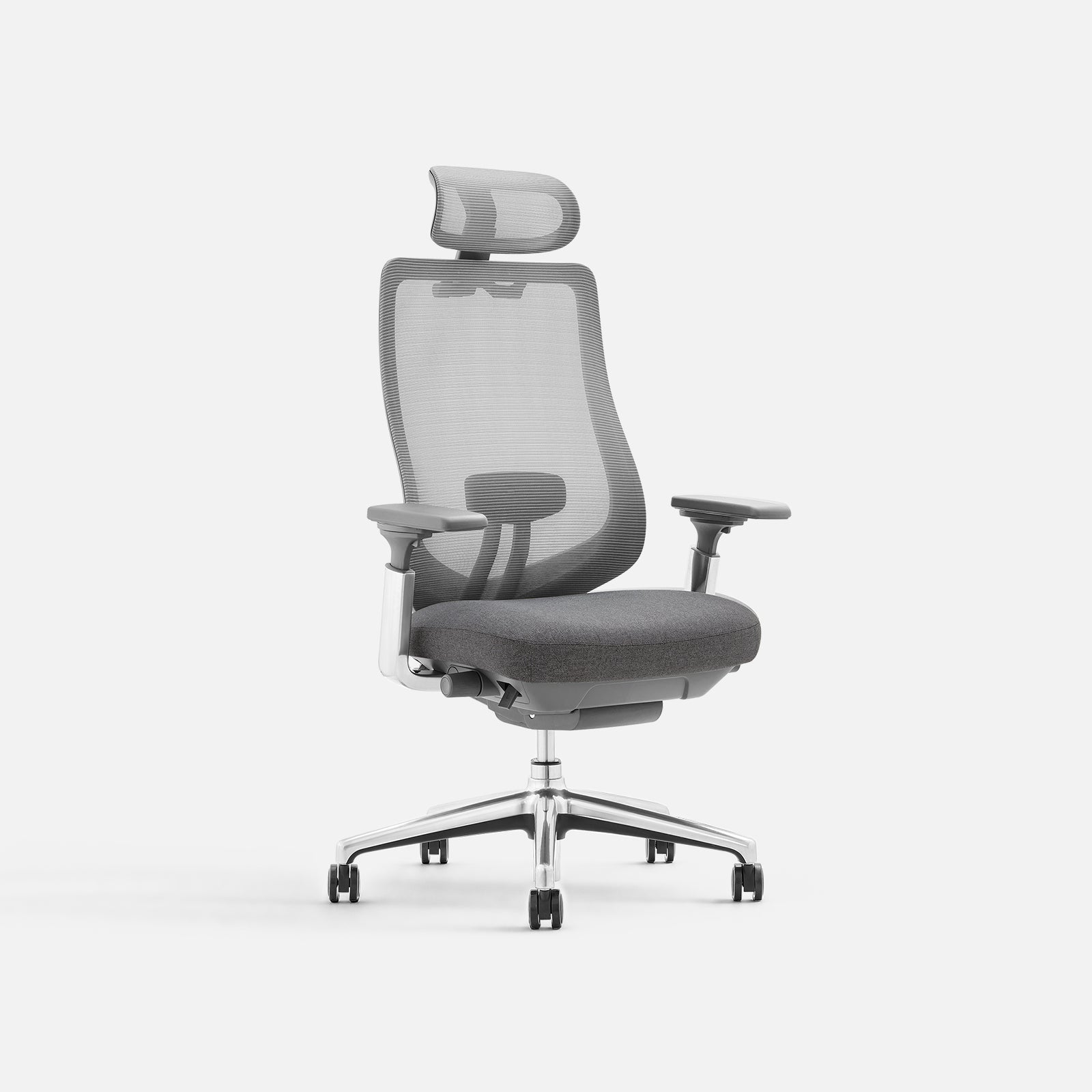
- Backrest material: Breathable mesh and stretch fabric
- Seat: High-density memory foam cushion
- Seat depth adjustment: 2 in (5 cm)
Eurotech Vera
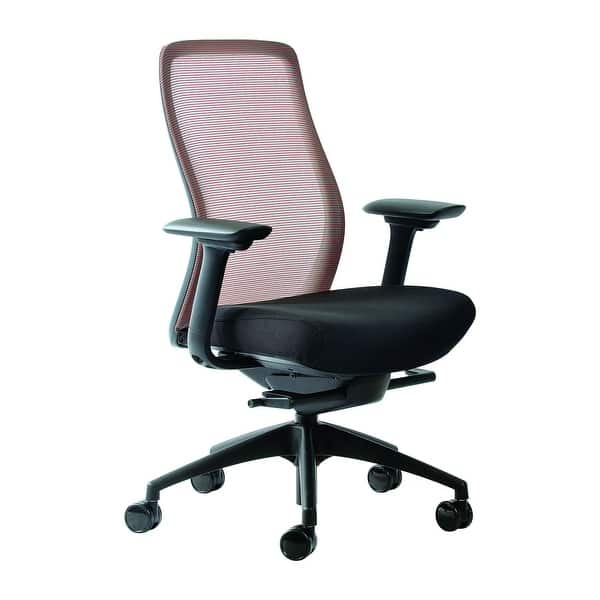
- Back recline: Synchro-tilt mechanism
- Seat dimensions: 18.9 in wide × 15.75–17.72 in deep
- Seat height range: 18.9–23.6 in
The Branch Ergonomic Chair Pro is our best overall work-from-home chair because its 14 adjustment points let you fine-tune the seat, tilt, lumbar support, and armrests. For a different balance of features, compare the Colamy Atlas and Eurotech Vera by the adjustments and materials that matter most to your setup.
For the wider category, see home office equipment for different households.
For a related need, compare our best desks for home office.
Another focused comparison is our best home printer for photos.
How do our recommended picks compare?
| Product | Best for | Documented seat adjustment | Back or tilt feature | Additional fit detail |
|---|---|---|---|---|
| Branch Ergonomic Chair Pro | Multiple adjustment options | Seat height and depth, tilt, tilt tension, and forward seat tilt are adjustable | Height- and depth-adjustable, removable lumbar support | 14 points of adjustment |
| Colamy Atlas | Mesh-and-cushion construction | Seat depth adjustment: 2 in (5 cm) | Breathable mesh and stretch fabric backrest | High-density memory foam cushion |
| Eurotech Vera | Synchro-tilt and seat-depth adjustment | Seat depth adjusts relative to the back | Synchro-tilt mechanism | Seat height range: 18.9–23.6 in |
Which work from home chair options should you compare?
1. Branch Ergonomic Chair Pro Best Overall
The Branch Ergonomic Chair Pro is our best overall pick for a home office where several seating controls matter. Its 14 adjustment points include seat height and depth, tilt and tilt tension, forward tilt, height- and depth-adjustable lumbar support, and 5D adjustable armrests. The lumbar support is removable, so it can be taken off if that suits your preferred setup. This breadth gives shoppers multiple ways to adjust the chair around their desk and sitting preferences. The tradeoff is that more controls call for a little time spent setting the chair up; shoppers seeking a simpler feature set may prefer another option. The chair also offers a choice of upholstery materials. Consider it when fine-grained adjustment is your priority, not because any one chair can guarantee a particular comfort outcome.
Best for Home-office shoppers who want many documented adjustment options, including adjustable lumbar support and armrests.
| Adjustment points | 14 points of adjustment |
|---|---|
| Lumbar support | Height- and depth-adjustable; removable |
| Armrests | 5D adjustable armrests, with adjustable arm width and height, and pad width, depth, and pivot |
Pros
- Multiple documented seat and tilt adjustments
- Lumbar support can be adjusted and removed
- Armrests offer five documented adjustment directions
Cons
- Its many controls may take time to configure.
Buy if You want to fine-tune several chair settings, including seat depth, tilt, lumbar support, and arm positioning.
Skip if You prefer a simpler set of controls or would rather choose between fewer adjustment options.
Sources: Product source
2. Colamy Atlas Alternative Pick
The Colamy Atlas is a useful alternative for shoppers who want a mesh-back chair with a cushioned seat and seat-depth adjustment. Its backrest combines breathable mesh and stretch fabric, and its seat uses a high-density memory foam cushion. The seat-depth adjustment is 2 inches, a concrete control shoppers can compare when considering how a seat meets their legs. Branch lists adjustments across the seat, tilt, lumbar support, and armrests; the Atlas pairs its specified seat-depth adjustment with its mesh-and-cushion construction. Choose the Atlas if those features align with your priorities, and compare any other features that matter to you before deciding.
Best for Home-office shoppers looking for a mesh-and-fabric back, a memory foam cushion, and documented seat-depth adjustment.
| Backrest material | Breathable mesh and stretch fabric |
|---|---|
| Seat | High-density memory foam cushion |
| Seat depth adjustment | 2 in (5 cm) |
Pros
- Mesh and stretch fabric are specified for the backrest
- Memory foam cushion is specified for the seat
- Seat-depth adjustment is documented
Cons
Buy if You want a chair with a breathable mesh-and-stretch-fabric back and a stated seat-depth adjustment.
Skip if You specifically want a chair whose product listing states 14 adjustment points.
Sources: Product source
3. Eurotech Vera Another Option
The Eurotech Vera is a strong fit for shoppers looking for a chair with a synchro-tilt mechanism and seat-depth adjustment. Its synchro-tilt reclines the back in a preset ratio to the seat, and seat depth adjusts relative to the back. Published measurements include the seat dimensions and seat-height range, which can help with planning around a desk. Branch lists 14 adjustment points, while Eurotech specifies synchro-tilt and seat-depth adjustment. Choose the Vera if its tilt approach and available seat measurements are the details you value most; do not assume a listed dimension alone guarantees a comfortable fit.
Best for Home-office shoppers who want a mesh-back chair with synchro-tilt and an adjustable seat depth.
| Back recline | Synchro-tilt mechanism |
|---|---|
| Seat dimensions | 18.9 in wide × 15.75–17.72 in deep |
| Seat height range | 18.9–23.6 in |
Pros
- Synchro-tilt is a documented recline feature
- Seat depth adjusts relative to the back
- Published seat dimensions help with desk-fit comparisons
Cons
- The listed seat measurements still need to be compared with your own setup.
Buy if You want a documented synchro-tilt mechanism and seat-depth adjustment, and its published dimensions suit your comparison needs.
Skip if You want a wider documented range of controls for armrests, lumbar support, and forward seat tilt.
Sources: Product source
How did we choose these recommendations?
- Compared published specifications and documented features relevant to full workdays at a home desk, including seat adjustment, tilt, lumbar support, and armrest controls.
- Considered how each chair’s documented features could suit different work-from-home preferences, such as fine-tuning several settings or choosing a mesh back.
- Compared product details on materials, dimensions, and adjustment ranges where specified.
- Selected distinct use cases so the recommendations help shoppers compare fit and function rather than treating one chair as the right choice for every home office.
We researched and compared published product specifications, documented features, and the sources linked beside each pick.
What should you look for when choosing work from home chair?
Start with the settings you want to change
Write down the adjustments that matter for your workday before comparing models. You might prioritize seat depth, tilt, lumbar position, or arm placement. Branch Ergonomic Chair Pro documents controls across all of those areas; Colamy Atlas and Eurotech Vera have their own documented seat-depth adjustments. A feature list is most useful when it answers a real setup question. Avoid choosing a chair based only on the number of controls if you do not expect to use them.
Compare seat measurements with your setup
A chair’s published measurements can help you assess its seat and height ranges alongside your desk. Eurotech Vera lists seat dimensions and a seat-height range; use those as comparison points, not a promise of personal fit. Include your desk height and available space in your decision, and check that any measurements correspond to the configuration you plan to choose.
Choose the back and seat materials deliberately
Material descriptions help distinguish these chairs: Colamy lists breathable mesh and stretch fabric for the back with a memory foam cushion, while Eurotech describes a mesh back and fabric seat. Branch lists several material choices, including mesh, bouclé, and leather options. Treat material as a preference to investigate, not a guarantee about how a chair will feel in your home. Check the exact available configuration and any care information you need.
Decide whether you want recline controls
If you use recline while working, compare the mechanisms and controls rather than relying on a general label. Eurotech Vera documents synchro-tilt, which reclines the back in a preset ratio to the seat. Branch documents adjustable tilt, tilt tension, and forward seat tilt. Colamy lists backrest tilt-lock positions. Think about whether you want the back and seat to move together, a way to control resistance, or a position you can lock. Confirm any feature you consider essential in the product listing.
Check the exact configuration before buying
Product pages can present different materials, accessories, and configuration choices. Branch lists several upholstery options, so check that the selection you want includes the materials you expect. For every chair, confirm the model name, listed adjustment details, and measurements that matter to you before ordering.
Which work-from-home chair is the best overall?
For shoppers who want many ways to tailor a chair to a desk setup, the Branch Ergonomic Chair Pro is a strong choice in this guide. Its 14 adjustment points encompass the seat, tilt, lumbar support, and armrests. Those documented controls give shoppers several settings to consider when configuring their seating setup.
The details are useful because they point to distinct adjustments: seat height and depth, tilt and tilt tension, forward seat tilt, and lumbar support that moves in height and depth. The armrests also adjust in five directions. If that level of control feels like more setup than you want, consider whether the Colamy Atlas or Eurotech Vera better matches the specific features you value. No chair should be chosen by a feature count alone; check fit against your desk and preferred sitting position.
What should you compare before choosing a home-office chair?
Start with the adjustments most relevant to your daily desk setup. Seat depth can help you compare how far the seat extends relative to the back, while seat-height information lets you check a chair against your desk and preferred seating position. Tilt controls matter if you want to recline, and adjustable lumbar support or armrests may matter if those are features you specifically want to configure.
The three picks have different specified features. Branch lists 14 adjustment points across the seat, tilt, lumbar support, and armrests. Colamy lists adjustable lumbar support, 4D armrests, seat-depth and seat-height adjustment, and four backrest tilt-lock positions, as well as its back and seat materials. Eurotech specifies seat dimensions, seat-depth adjustment, and a synchro-tilt mechanism. Match those details to your priorities. If a measurement or control is important to you, confirm it with the retailer before choosing.
FAQ
What is the best work-from-home chair in this guide?
Branch Ergonomic Chair Pro is the best overall recommendation for shoppers who want a broad set of documented adjustments. It includes adjustable seat and tilt settings, removable height- and depth-adjustable lumbar support, and five-direction armrests. If those controls are not your priority, compare Colamy Atlas and Eurotech Vera by their materials and specific seat or tilt features.
How many adjustment points does the Branch Ergonomic Chair Pro list?
Branch Ergonomic Chair Pro lists 14 points of adjustment, including seat height and depth, tilt, tilt tension, forward seat tilt, adjustable lumbar support, and 5D armrests. Those specifications may be useful to shoppers comparing chairs with multiple adjustable settings.
Which chair has a memory foam cushion?
Colamy Atlas specifies a high-density memory foam cushion. Its backrest is described as breathable mesh and stretch fabric, and the product details include a 2-inch seat-depth adjustment. Consider those documented features together, and consult the product listing for any other construction, fit, or care details that matter to your decision.
Which chair has a synchro-tilt mechanism?
Eurotech Vera has a synchro-tilt mechanism: the back reclines in a preset ratio to the seat. It also has seat-depth adjustment. Those details make it a relevant option if you want to compare linked reclining motion with the other chairs’ specified features.
How should I check whether a chair will fit my desk?
Compare the chair’s published measurements and adjustment ranges with your desk and preferred sitting position. Eurotech Vera lists seat dimensions and a seat-height range. The chair measurements alone cannot establish personal fit, so check the exact configuration and confirm any dimensions or controls that are essential to you before purchasing.
Are these chairs all suitable for every home office?
No single recommendation can be assumed to suit every desk, room, or seating preference. These picks differ in their documented adjustments, materials, and fit details. Use the product information to narrow your options, then verify the measurements and configuration you need. Choose the chair whose supported features match your priorities rather than relying on a blanket suitability claim.
Which work from home chair should you buy?
For most homes, start with the Branch Ergonomic Chair Pro. For another option, compare the Colamy Atlas. Need the use-case pick? Consider the Branch Ergonomic Chair Pro.
- Best Overall: Branch Ergonomic Chair Pro
- Alternative Pick: Colamy Atlas
- Another Option: Eurotech Vera
When was this guide last updated?
- November 07, 2026: Editorial research prepared. Product specifications and source images reviewed.